KPI reports built for you
Turn your KPI data into clear, professional reports that are ready to share. Bring performance, trends, and commentary together so everyone can see what's working, what's changed, and what needs attention.
One flat price. Unlimited users, reports, and KPIs. See pricing

Trusted by 1,000+ companies and 30,000+ users.
Teams at Merck, G4S, Brother, the NHS and Bosch track their KPIs in SimpleKPI.
Start with a report that's ready to go
The Executive Report template gives you a complete structure from the start. Choose the KPIs you want to include, add your commentary, and share it without worrying about the layout. Or let AI suggest one for you.

Report Builder
Build custom reports with dedicated sections for graphs, comparisons, summaries, and AI narrations.

Let AI give you a head start
Describe the report you need, and AI will suggest the right KPIs and sections. Use those suggestions as a starting point, then adjust everything in the report builder before sharing.

Reports that send themselves
Schedule who receives a report and how often. SimpleKPI sends it automatically, keeping everyone up to date without adding another job to your list.

Share it your way
Export reports to PDF or share a live link with anyone, no login required. Every view shows your latest data, never a stale snapshot, with your logo and branding carried through.

More report features included
Every report includes a full set of tools to help you build, automate, and share your KPI story.

Three ready-made templates
Executive KPI Summary, Targets & Goal Progress, and Performance Trends. Each one is a complete report in a single click.

Six section types
Build from summary, status overview, chart, off-track items, biggest changes, and KPI table sections.
AI-written summaries
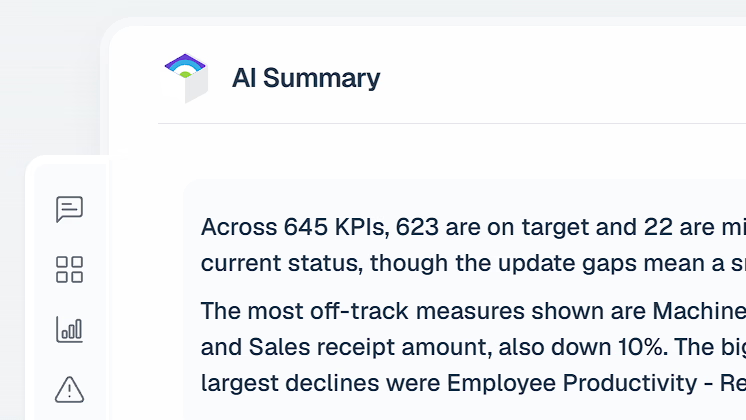
Let AI write the report's summary from your KPI data, on demand or automatically when you start from a template.

Status overview cards
Total KPIs, on target, off target, and missing updates at a glance, with change against the previous period.

Off-track items
A section that finds your off-target KPIs automatically and lists them worst-first.

Biggest changes
Top gainers and top decliners against the previous period, worked out for you.

One date range, whole report
Set the date range and compare window once in the masthead, and every section follows it.

Always live data
Every time a report is opened, exported, or emailed, it re-queries your live data. Never a stale snapshot.
Your branding throughout
Your logo and company name appear on shared report pages and every exported PDF.
Report features at a glance
Everything below is included for every account, with no tiers, add-ons, or usage meters.
| Feature | What it does | Included |
|---|---|---|
| Unlimited reports | Create as many reports as you need. No caps, no per-report charges. | Included in the one price |
| Ready-made templates | Executive KPI Summary, Targets & Goal Progress, and Performance Trends, complete in one click. | Included in the one price |
| Report Builder | Custom reports built from six section types, arranged in any order. | Included in the one price |
| AI summaries | AI writes the summary from your KPI data, automatically on templates or on demand. | Included in the one price |
| Chart sections | The same chart editor as dashboards, with multi-KPI charts of up to six KPIs. | Included in the one price |
| KPI tables | Multi-KPI tables with targets and off-target flags built in. | Included in the one price |
| Status overview | Total, on target, off target, and missing updates, with period-on-period change. | Included in the one price |
| Off-track items | Off-target KPIs found automatically and listed worst-first. | Included in the one price |
| Biggest changes | Top gainers and decliners against the previous period. | Included in the one price |
| Report-wide date range | One date range and compare window in the masthead drives every section. | Included in the one price |
| Scheduled email | Daily, weekly, or monthly sends with the PDF attached and a link to the live report. | Included in the one price |
| Team sharing | Share reports with chosen users on your account. | Included in the one price |
| Public share links | No-login live report links you can revoke or regenerate anytime. | Included in the one price |
| PDF export | A polished PDF of the whole report, ready to print or send. | Included in the one price |
| Your branding | Logo and company name on shared pages and exported PDFs. | Included in the one price |
| Always live data | Every view, export, and send re-queries your live data, never a snapshot. | Included in the one price |
| Favorites | Star any report to pin it to your Home screen favorites. | Included in the one price |
| Explore deep dive | Jump from any single-KPI report chart straight into a full Insights deep dive. | Included in the one price |

Can I export a KPI report?
Yes. Any report can be exported to PDF, ready to print, save, or drop into a presentation.
Can I share a report with someone who doesn't have a SimpleKPI login?
Yes. Public share links let anyone view a report without logging in, so it's easy to share with clients or colleagues outside your account.
Do I have to build reports from scratch?
No. Three ready-made templates, Executive KPI Summary, Targets & Goal Progress, and Performance Trends, each give you a complete report in one click, with an AI-written summary already in place.
Can reports be sent out automatically?
Yes. Schedule a report to go out by email to your team on whatever cadence you choose, so everyone sees the same numbers on the same schedule without logging in to run it themselves.
Is there a limit on how many reports I can create?
No. Reports are unlimited, along with dashboards, users, and KPIs. Create as many as you need, it's all in the one flat price.