January 2026 Product Update

In‑App Support That Meets You Where You Work

SimpleKPI Icon By Stuart Kinsey

7 Minute Read
SimpleKPI dashboard with an open in‑app support panel showing videos, help topics, and an AI chat window.

If you're spending too much time switching between tabs to find help or waiting on email replies just to finish a dashboard, this month’s update is for you.

Video placeholder: January 2026 Update

In our January 2026 Product Update, we’ve brought the entire support experience directly into SimpleKPI, complete with tab-level video walkthroughs, contextual “Learn more” menus, and a new AI assistant called Kip – all accessible from the same screens where you track your KPIs.

SimpleKPI dashboard with in-app support panel open, showing video walkthroughs and help topics
Figure 1: The new SimpleKPI in-app support experience, right alongside your dashboards.

What’s new in January 2026

This update focuses on one theme: keeping you in the flow while you work. Instead of sending you off to a separate help site, we’ve embedded support into the product itself so you can get answers and keep moving.

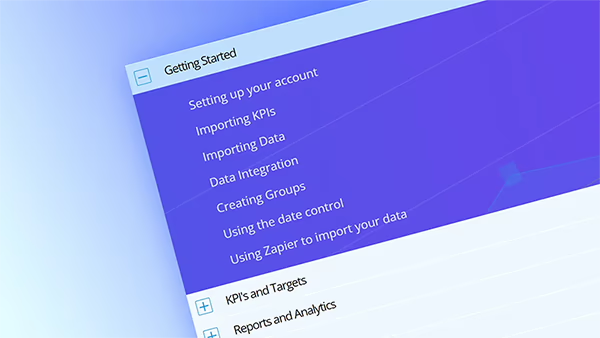
  • Video walkthroughs on every main tab
  • A “Learn more” dropdown with common tasks
  • Kip, our new AI assistant for popular questions
  • Deeper integration so support directly inside SimpleKPI

Video walkthroughs on every tab

Every main tab in SimpleKPI now includes a short, focused video that shows you exactly how to use that part of the app, from first steps to everyday workflows.

Whether you’re building a dashboard from scratch, adjusting KPI targets, or exploring reports, you can hit play and follow along without leaving the page you’re on.

SimpleKPI tab with an embedded video walkthrough card for that section
Figure 2: Tab-specific video walkthroughs guide you through each area of SimpleKPI in a few minutes.

We’ve kept these walkthroughs intentionally short so you can jump to the part that matters, copy the steps in your own account, and get back to your work without a long training session.

“Learn more” dropdowns for common tasks

Next, you’ll see a new “Learn more” dropdown on key screens that surfaces the most common tasks you might want to perform in that area – for example “add a new KPI,” “share a dashboard,” or “set up alerts.”

When you choose a task, it opens a tailored help snippet with step-by-step guidance and links to deeper documentation, ready to use right where you are.

Close-up of the Learn more dropdown in SimpleKPI, listing common tasks and opening contextual help
Figure 3: The “Learn more” dropdown connects common tasks directly to in-app help content.

The goal is simple: remove the guesswork between “I want to do X” and “Here’s exactly how to do X,” without forcing you to hunt for the right article first.

Meet Kip, your new AI assistant

We’ve also introduced a new AI chatbot called Kip, built on top of the same messenger you already use and trained on our support documentation and real support conversations.

Kip can handle popular questions like how to change a date range, why a KPI isn’t updating, or how to share a dashboard with your team, and will escalate seamlessly to a human whenever your question needs a deeper dive.

Chat window inside SimpleKPI showing a conversation with Kip, the AI support assistant
Figure 4: Kip, the AI assistant, answering a how‑to question directly inside the messenger.

Because Kip is connected to our knowledge base, it can answer a wide range of “how do I…?” questions immediately, while still keeping the door open to chat with a person when you prefer.

Support, embedded directly into SimpleKPI

Behind the scenes, this update is powered by a deeper integration between SimpleKPI's in-product messenger, so everything from articles to chat to AI lives inside the app instead of in a separate portal.

That means fewer context switches, faster onboarding for new users, and a much smoother experience when you need help during a busy day or a live report.

Full SimpleKPI interface showing the chat icon bottom-right and the question mark help icon top-right
Figure 5: Access in-app support from the chat icon in the bottom-right or the question mark icon in the top-right.

How to access the new support section

Option 1: Use the chat icon (bottom-right)

  1. Open SimpleKPI and sign in to your workspace.
  2. Look for the chat-bubble icon in the bottom-right corner of the screen.
  3. Click the icon to open the messenger overlay.
  4. Type your question, browse suggested articles, or click through to the video or “Learn more” content for the tab you’re on.
  5. If you need more help, continue the conversation with Kip or start a message to our support team in the same window.

Option 2: Use the question mark icon (top-right)

  1. From any page in SimpleKPI, find the question mark help icon in the top-right corner of the interface.
  2. Click it to open the support menu, which connects you to the same in-app messenger and help content.
  3. Browse help topics, launch tab-specific video walkthroughs, or start a chat with Kip without leaving your current view.
  4. You can come back to this panel at any time, and previous conversations will be waiting for you.

Why this matters for your team

This update is all about making support feel like a natural part of your workflow instead of a separate system to manage.

By bringing videos, task-based help, AI assistance, and live chat inside SimpleKPI, you spend less time searching for answers and more time acting on your numbers and helping your team stay aligned around the KPIs that matter.

Ready to try it? Log in to SimpleKPI, click the chat icon in the bottom-right or the question mark in the top-right, and say hello to Kip the next time you have a question.

SimpleKPI Icon Logo

Frequently Asked Questions

Still need help? Chat to us

You can open the new support experience from any screen in SimpleKPI by clicking the chat icon in the bottom-right corner or the question-mark help icon in the top-right. This opens the in-app messenger where you can search help articles, watch tab-specific videos, and chat with Kip or a human support agent.

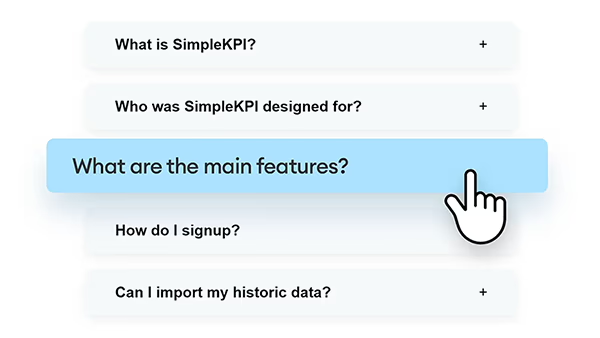
Kip is SimpleKPI’s AI assistant trained on our support documentation, historical support conversations, and product knowledge. It can answer common questions about setting up dashboards, troubleshooting data issues, and using specific features, and will hand over to a human support specialist if your query needs a deeper look.

Yes. Kip is designed to handle common questions quickly, but whenever your issue is more complex or account-specific, it passes the full conversation to our human support team so you can continue in the same thread without repeating yourself.

Stuart Kinsey portrait

by Stuart Kinsey

Stuart Kinsey writes on Key Performance Indicators, Dashboards, Marketing, and Business Strategy. He is a co-founder of SimpleKPI and has worked in creative and analytical services for over 25 years. He believes embracing KPIs and visualizing performance is essential for any organization to thrive and grow.

Get started with your KPI Software

Get started for free